
Talk through voice
Support phone-led conversations for front desk, service, sales, and support use cases with role-specific context.
Agentic AI Platform
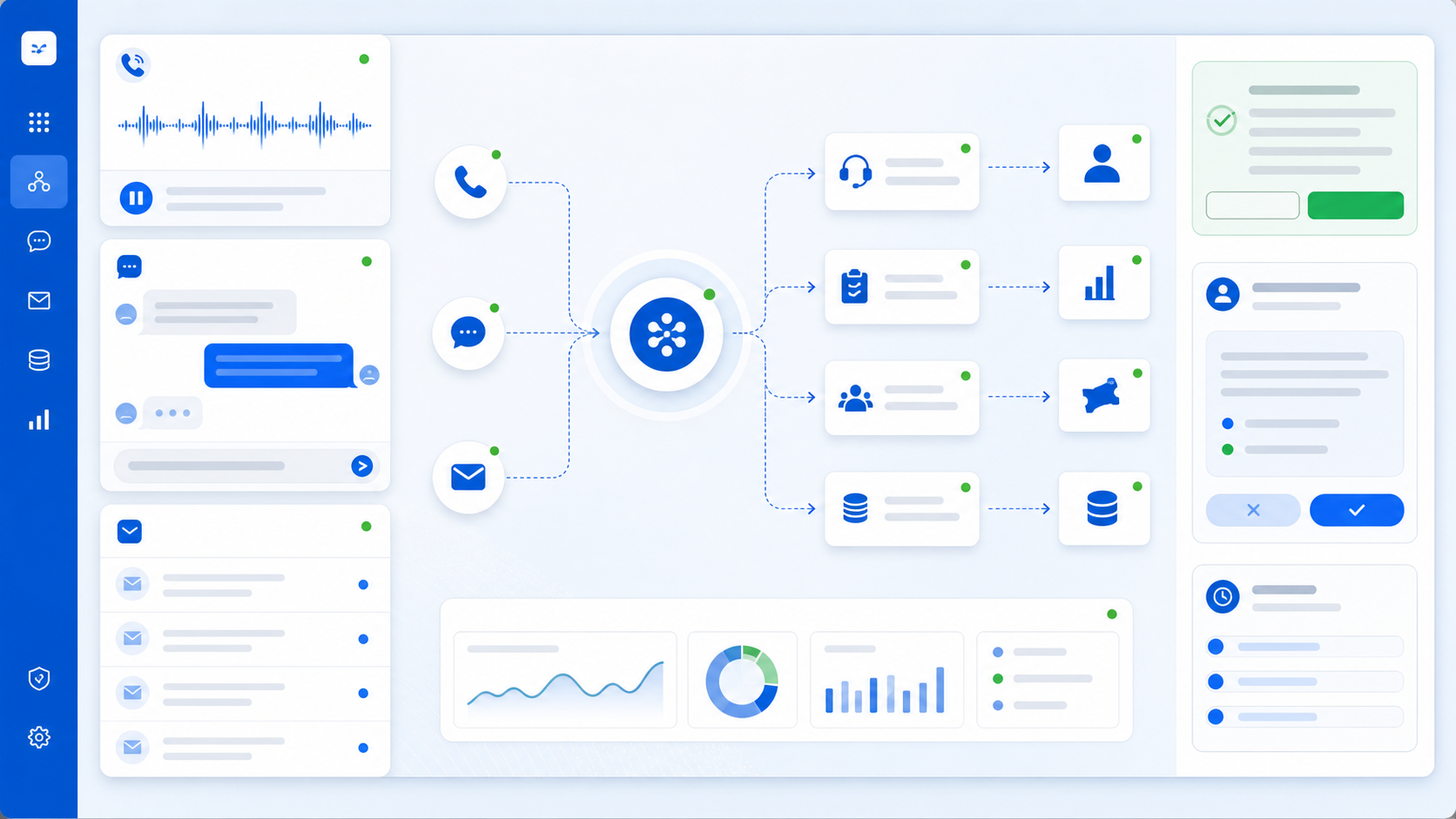
Enserv's Agentic AI Platform helps organizations deploy role-based AI agents that communicate through voice, chat, and email, retrieve approved knowledge, update CRM and business systems, automate workflows, and escalate to humans when needed.
Operational drag
Many teams lose time across repeated conversations, manual updates, scattered follow-ups, and limited visibility into what happened across channels.
Platform overview
Agents can communicate through approved channels, work with business context, update systems, trigger workflows, and preserve human-in-the-loop control when judgment or approval is required.
Support phone-led conversations for front desk, service, sales, and support use cases with role-specific context.
Handle website, portal, and internal chat interactions with approved knowledge and clear escalation paths.
Read, draft, summarize, and route email conversations while preserving mailbox ownership and human review controls.
Use customer-approved policies, product details, FAQs, documents, and internal knowledge sources for grounded responses.
Create notes, update lead status, capture customer context, and keep sales records aligned with conversations.
Convert support requests into structured tickets with category, priority, customer context, and summary details.
Start approval flows, task creation, routing, notifications, and downstream business workflow automation.
Generate concise conversation summaries, next actions, and handoff notes for users and managers.
Route exceptions, approvals, low-confidence answers, and sensitive decisions to the right person.
Agent roles
Start with one role-based AI agent use case, then expand to additional workflows where conversations, approvals, follow-ups, and system updates repeat.
Handle inbound enquiries, route requests, collect details, and create structured handoffs for teams.
Capture issues, suggest approved responses, create tickets, and escalate operational exceptions.
Qualify incoming leads, answer product questions, update CRM records, and schedule sales follow-ups.
Support campaign follow-ups, proposal nudges, meeting reminders, and controlled outreach workflows.
Assist vendor communication, quote follow-ups, purchase request status, and procurement workflow routing.
Answer approved employee questions, collect request details, and route HR workflows for review.
Support dispatch updates, delivery status, shipment queries, and exception communication workflows.
Resolve repeated customer questions, summarize issues, and escalate cases that need human judgment.
Help teams retrieve approved process, product, policy, and operational knowledge from internal sources.
Track proposal status, draft follow-ups, update CRM activity, and surface next actions to sales users.
Channels
The platform supports customer, vendor, employee, and internal interactions through practical communication channels.
Phone-led conversations with role context.
Website, portal, and messaging interactions.
Inbox handling, follow-ups, drafts, and summaries.
Connect workflow conversations to team tools.
Embed controlled agent experiences into websites or portals.
Support internal teams with approved knowledge and workflows.
Integrations
AI agent workflow automation becomes more useful when agents can read approved context, write structured updates, and trigger workflows in existing systems.
Connect AI agents with lead records, customer history, opportunities, activities, and follow-up workflows.
Create, classify, update, and summarize tickets with customer context and escalation rules.
Work with customer-owned mailboxes for drafting, summarizing, routing, and follow-up assistance.
Bring agent handoffs, summaries, alerts, and workflow notifications into team communication tools.
Use approved ERP data for order, customer, vendor, inventory, and process context where needed.
Support vendor queries, request status, quote follow-ups, approvals, and purchasing workflow updates.
Use stock, availability, and item context to answer questions or trigger controlled workflow steps.
Route employee requests, retrieve approved HR information, and support internal service workflows.
Read approved structured data sources through controlled access patterns and audit-friendly integration.
Connect agents to existing applications through secure API-based actions and data retrieval.
Integrate with organization-specific portals, workflows, and business systems where standard tools do not fit.
Safety and control
Agent boundaries, approvals, permissions, audit trails, and private deployment options help teams automate practical workflows without losing operational control.
Deployment
Deployment can be shaped around security, data ownership, mailbox ownership, integration requirements, customer infrastructure, private cloud, and on-premise needs.
Escalate decisions, approvals, and exceptions to people when the workflow requires control.
Support private cloud, on-premise, and customer-owned data environment patterns.
Update CRM, create tickets, trigger workflows, and send structured summaries.
Front desk, sales follow-up, service desk, procurement support, customer support, or internal knowledge assistance can be a practical starting point for role-based AI agents.